Quest Log Entry
2026 · 04 · 22Introducing ldash 1.0.0 — A Terminal Finance Dashboard for hledger
ldash 1.0.0 is out: a fast, keyboard-driven hledger dashboard built in Rust and Ratatui. Crypto portfolio, net worth, monthly budgets, and savings goals — without leaving the terminal.
After months of evening commits, ldash 1.0.0 is out.
ldash is a terminal dashboard for hledger. It turns my plain-text journal into a live overview of net worth, monthly spending, budgets, savings goals, and crypto portfolio — all keyboard-driven, all offline, no browser tab required.
If you live in the terminal and use hledger (or want to), this post is for you. New to the world of Plain Text Accounting? It is a small, friendly community built around the idea that your financial data should be a text file you fully own — and ldash is one window into that idea.
Why I built ldash
I track my finances in plain text with hledger. It is precise, scriptable, and mine forever. (If you are new to the space, hledger sits next to ledger-cli and Beancount as one of the three mainstream plain-text accounting tools — ldash is built specifically for hledger.) But hledger is a CLI: every question (How much did I spend on groceries last month? What is my net worth trend? How is my crypto portfolio doing?) is a separate command with a separate set of flags.
For a long time I bounced between three patterns:
- a wall of
hledger bal/hledger regcommands I had memorized - a half-broken bash script that stitched several reports together
- shelling out to a web tool that needed exporting and uploading data I would rather keep on disk
None of it felt right. I wanted one place that answered the four questions I actually ask every week:
- What is my net worth, and where is it trending?
- How much did I spend this month, by category, vs my budget?
- How is my crypto allocation performing — invested vs price gain vs staking?
- Am I making progress on my savings goals?
ldash is the answer I built for myself.
What you get in 1.0.0
ldash launches into three tabs you can switch with 1, 2, 3 (or Tab):
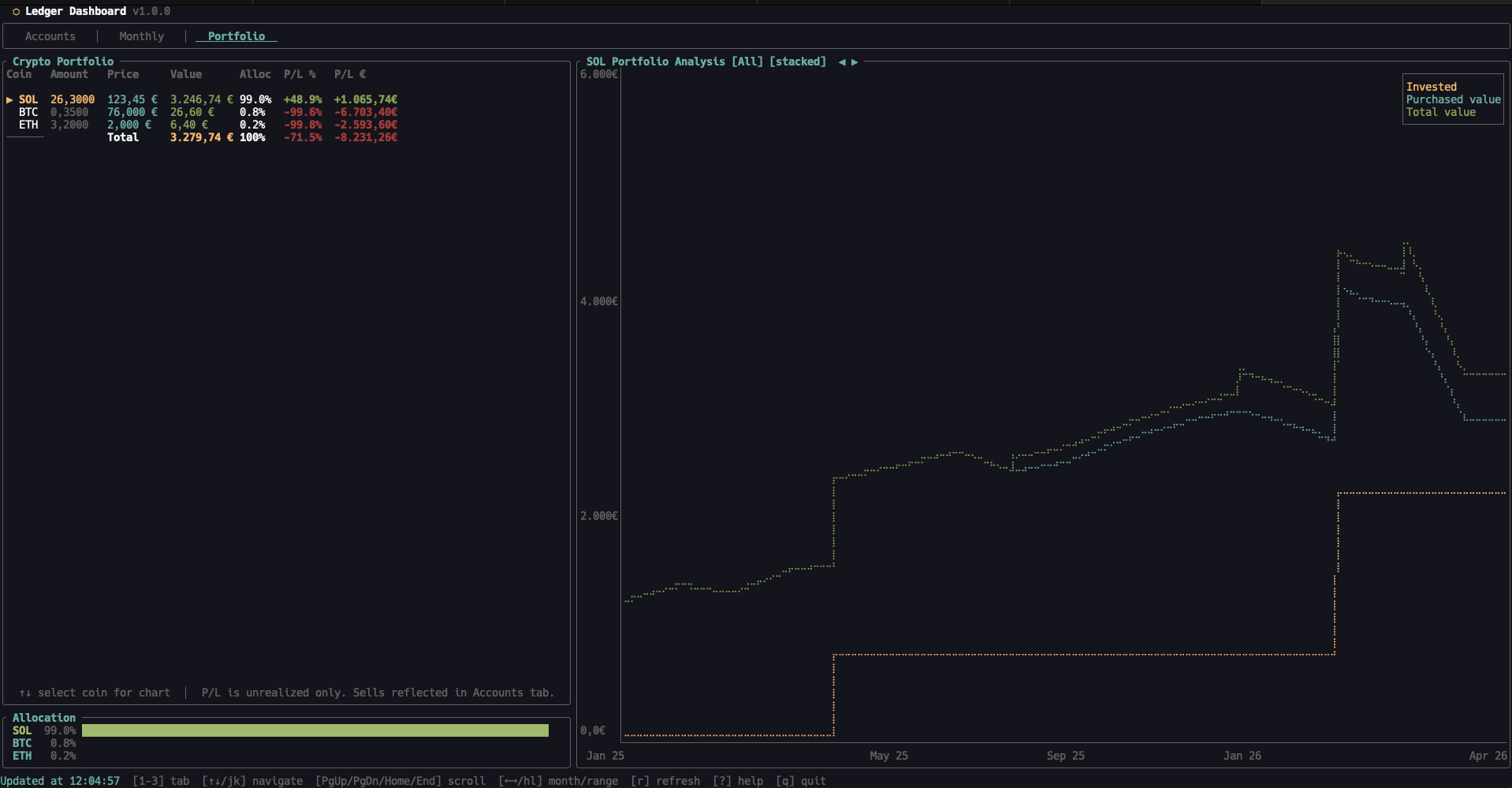
Portfolio
- Holdings table with price, value, allocation %, and per-coin P/L
- Split between invested, price gain, and staking rewards, so you actually know where the gains came from
- Stacked or unstacked chart mode (
sto toggle) - Net worth history with selectable ranges: YTD / 1Y / 2Y / 5Y / All
Accounts
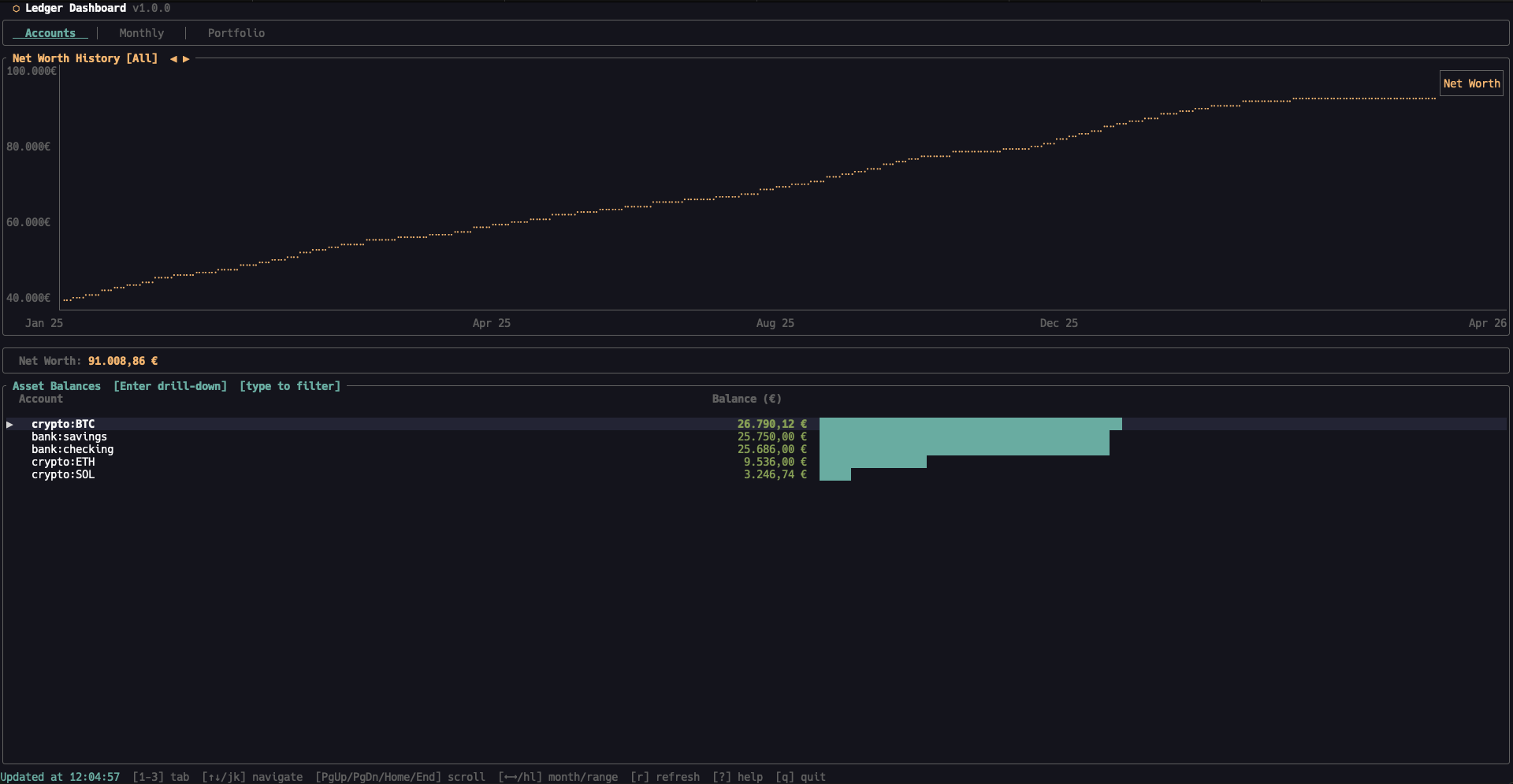
- All asset accounts with EUR valuations and visual bar indicators
- Drill into any account to see its recent transactions (
Enter) - Savings goals with progress bars and target amounts
Monthly
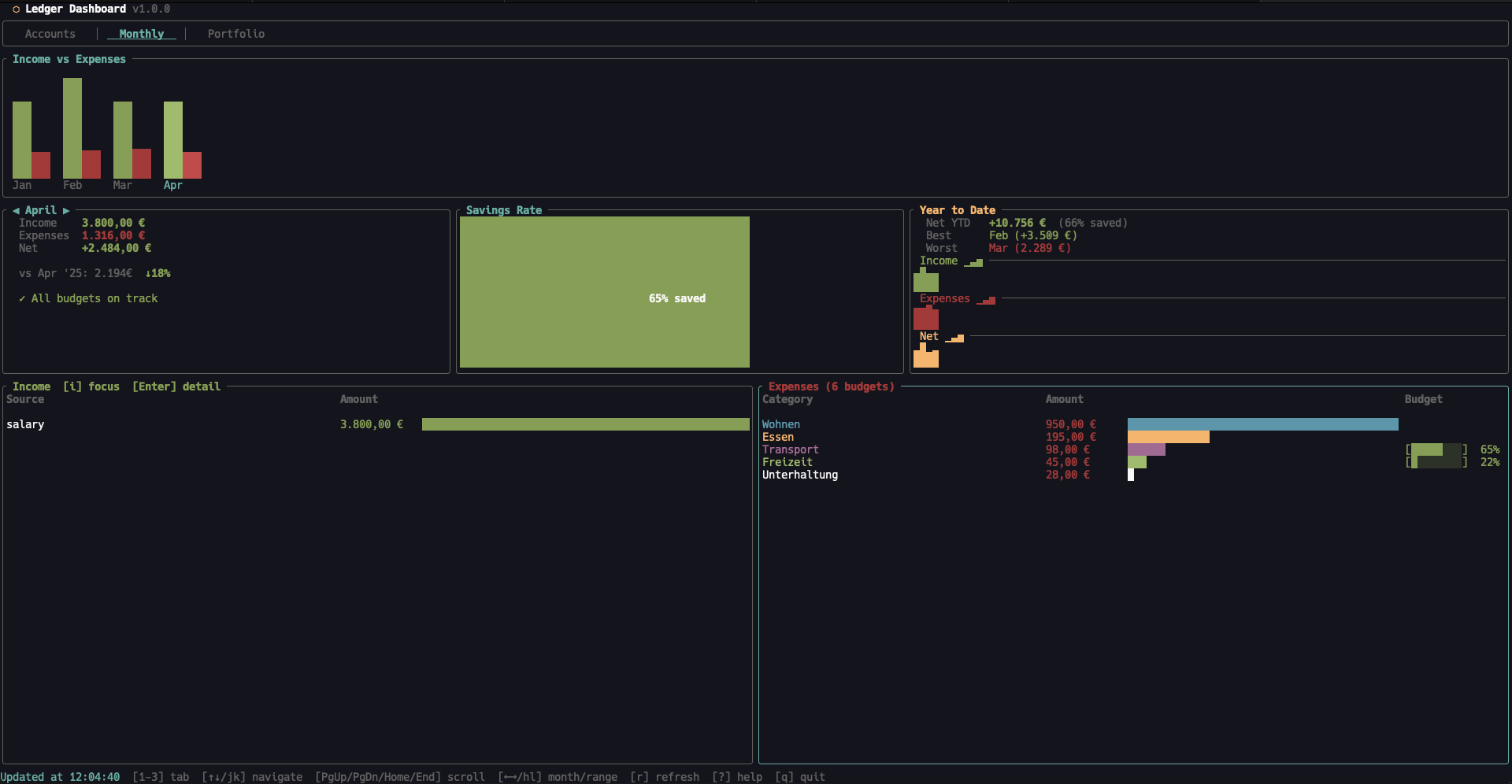
- Income and expenses bar chart with per-category breakdown
- Savings rate gauge
- Year-over-year comparison
- Budget tracking inline: progress bars per category, warnings when over budget
- Drill-down into any expense category
A few things that are easy to miss but matter every day:
- Background refresh — data loads in parallel, the UI never blocks
- Auto-reload — ldash watches your journal file and refreshes when it changes
- Lazy tab loading — only the active tab loads on first visit, so startup is instant
- Hot-reload config — change a color or budget, save the file, see it immediately
Tech under the hood
- Rust + Ratatui for the TUI (if you live in this corner, Awesome Ratatui is a great rabbit hole)
- hledger as the source of truth — ldash reads from your journal, never writes to it
- A separate
prices.journalfile holds crypto price history, so the portfolio view works fully offline - CI on Codeberg builds release binaries for
x86_64/aarch64Linux and macOS - Tested with unit, snapshot, and integration suites
The whole thing is a single binary, ~3 MB, with no daemon and no database. Your data lives in your journal. ldash is just the lens you look through.
Try it
You need Rust 1.70+ and hledger installed. If hledger is brand new to you, the official docs are the single best starting point.
| |
Then point it at a journal:
| |
If you keep an all.journal in your finance directory, you can also just cd there and run ldash with no arguments.
AUR packaging and a Nix flake are in the repo. A Homebrew tap is planned for a 1.0.x patch release.
Configuration that stays out of your way
On first launch, ldash creates ~/.config/ldash/config.toml with everything commented out. Sensible defaults take over until you decide otherwise.
You can:
- Set a default tab, refresh interval, and number format (
eu/us) - Define monthly budgets per expense category
- Define savings goals mapped to account prefixes
- Reassign category colors so your spending chart matches how your brain groups things
- Pick a theme — or paint your own (see below)
Saving the config triggers a hot-reload — no restart.
Themes: three presets, fully customizable
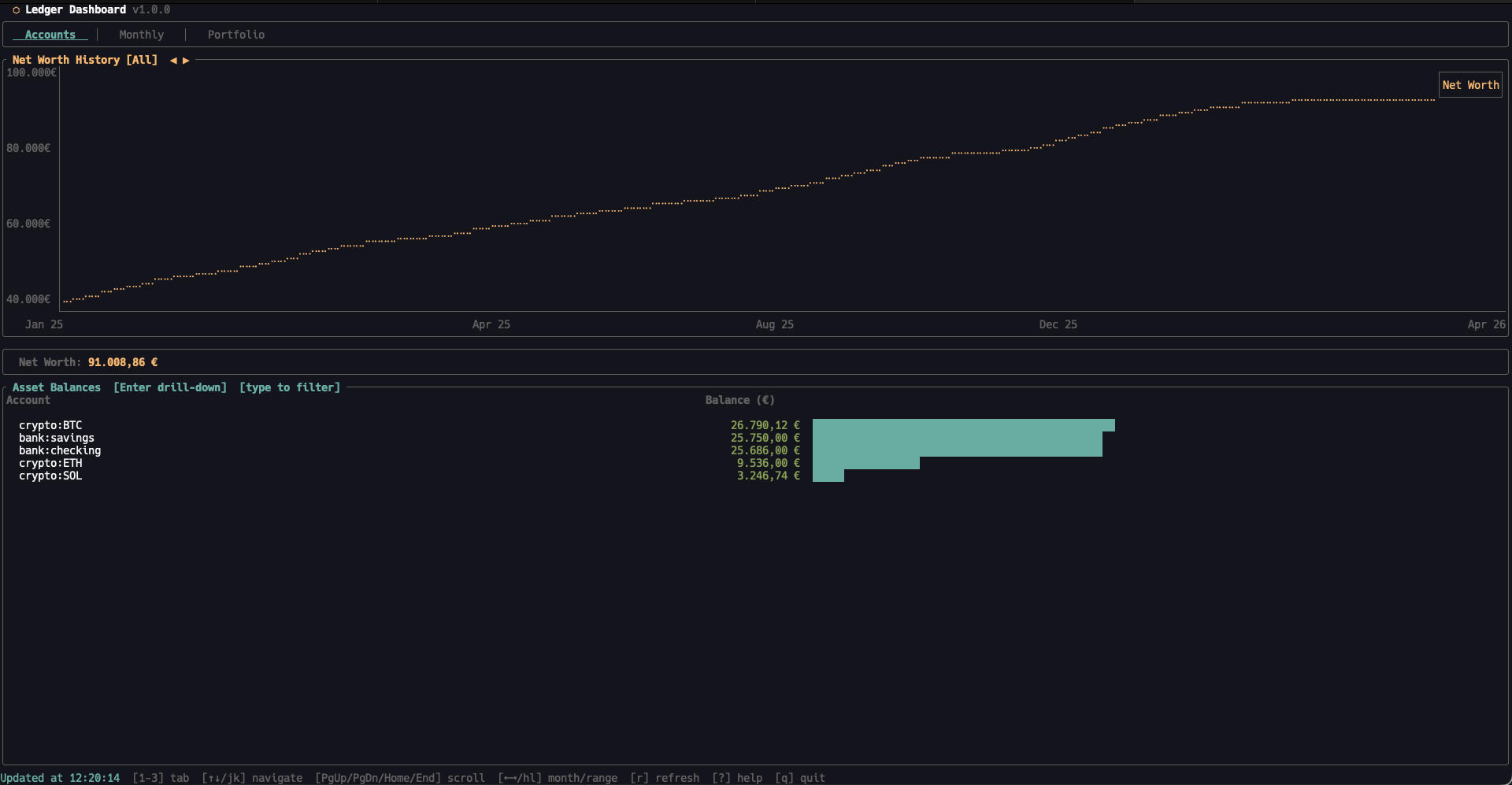
ldash ships with three built-in themes:
dark— the default. Dark background with a cyan accent.light— light background with a blue accent. Self-contained, so it works on any terminal.solarized— the classic Solarized Dark palette.
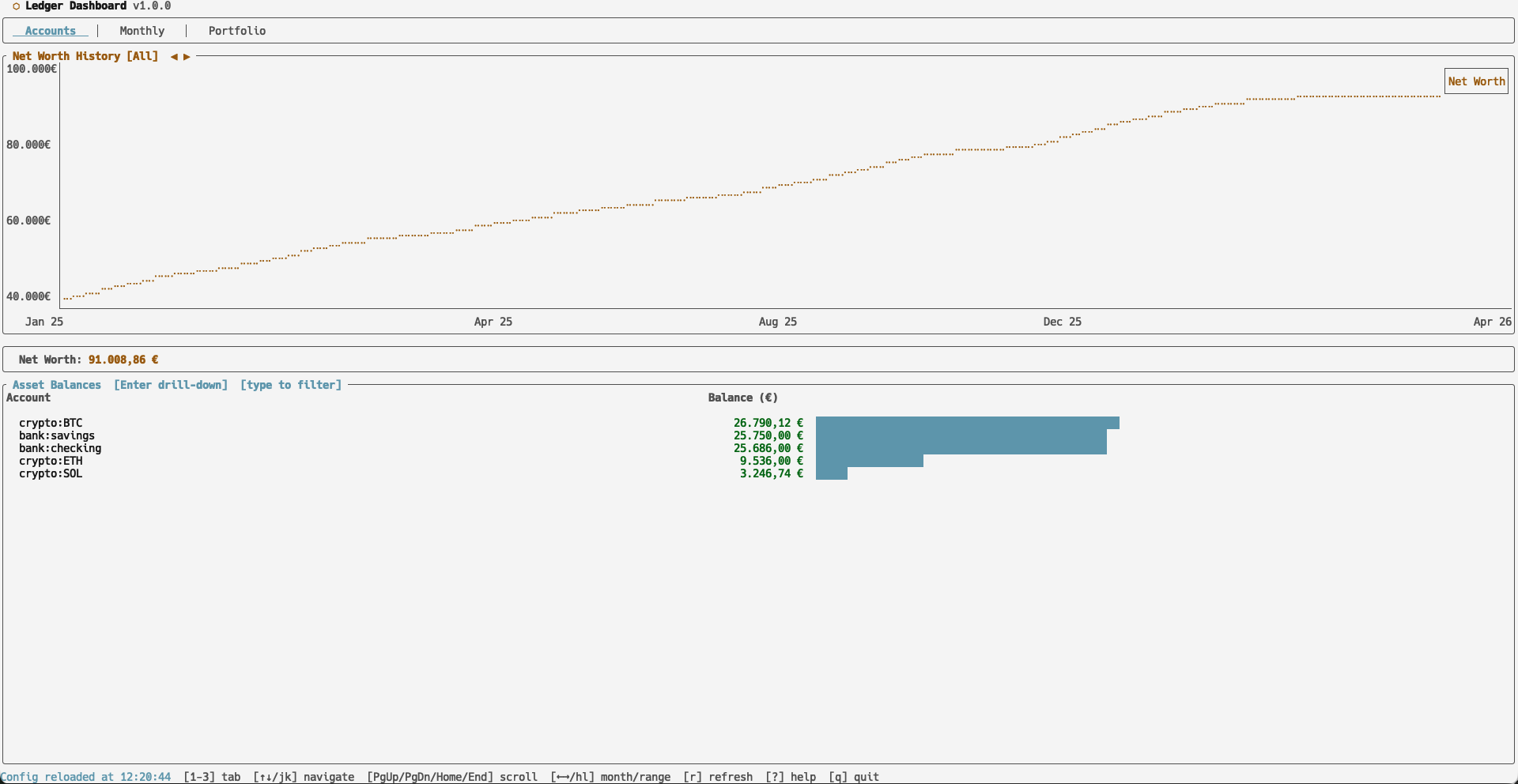
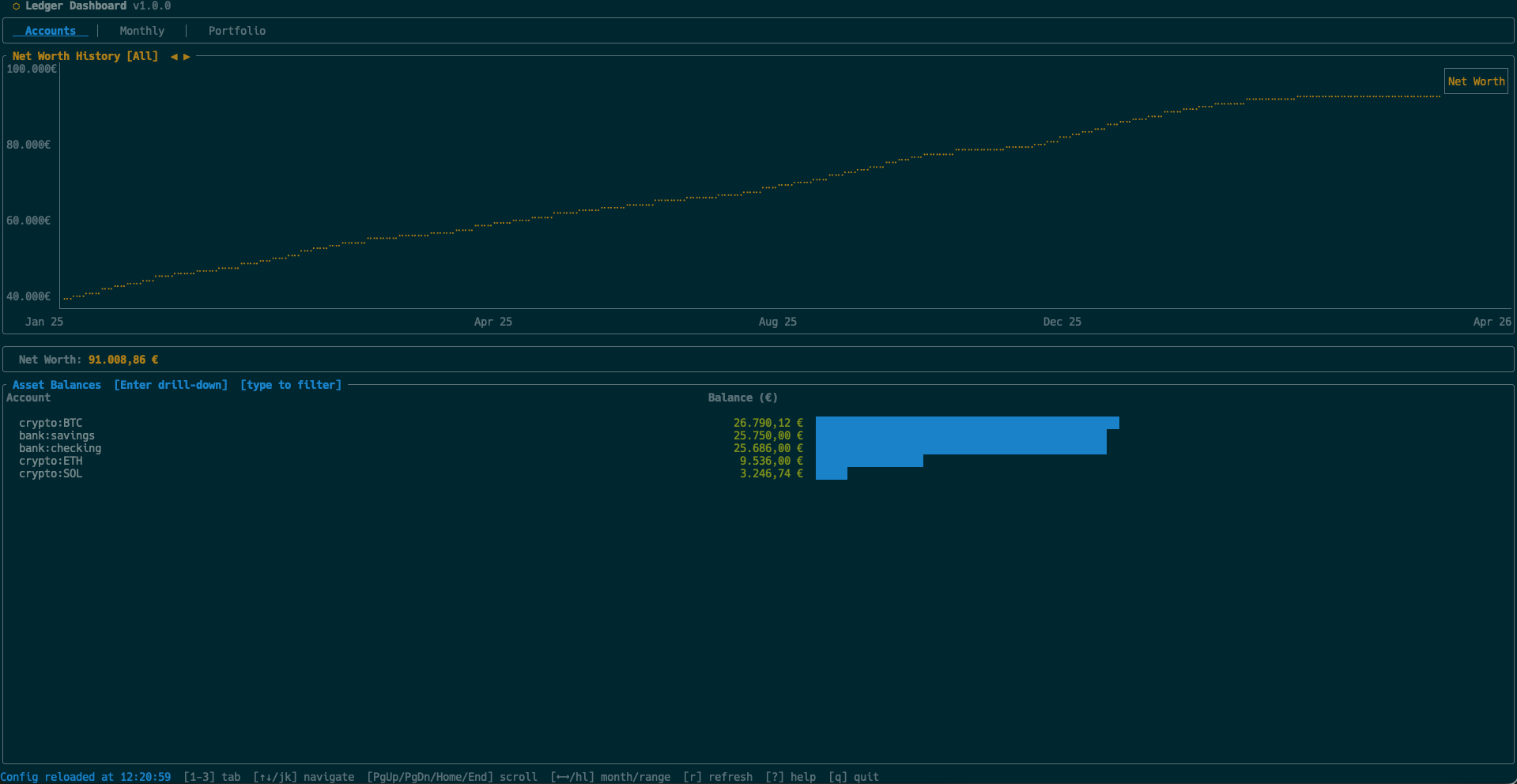
Pick one in config.toml:
| |
Every color can also be overridden individually, with or without a preset. Want Solarized but with an orange accent? Mix and match:
| |
Available color fields (defaults shown for the dark preset):
| Field | Default | Role |
|---|---|---|
accent | cyan | Borders, highlights, selected tab |
positive | green | Income, gains, positive amounts |
negative | red | Expenses, losses, negative amounts |
muted | darkgray | Secondary text, axis labels |
gold | yellow | Net worth line, titles, P/L totals |
fg | white | Primary text |
background | #14141e | Title bar, popup backgrounds |
Color values accept named colors (red, green, blue, yellow, cyan, magenta, white, gray, darkgray) or hex codes (#RRGGBB). Theme changes hot-reload the moment you save the file — no restart needed.
Example config
Here is a real-world ~/.config/ldash/config.toml that uses most of what ldash offers:
| |
Drop in only the parts you care about — every section is optional and defaults fill the rest. A few annotated configs also live in the examples/ directory of the repo.
What 1.0.0 means to me
Solo development is a lot of small, invisible decisions. Naming a flag. Choosing a default. Deciding the tenth time whether a feature belongs in 1.0 or in 1.1.
For me, 1.0.0 means three things:
- The core experience is real: I use ldash daily for my own finances.
- The foundation is stable: tests, CI, release pipelines, packaging.
- The scope is honest: it does what it claims, nothing more, nothing fake.
Shipping 1.0.0 alone is a strange feeling. It is exciting, slightly anticlimactic, and motivating all at once. Now the interesting part starts: real users, real edge cases, real feedback.
What is next
The roadmap I am most excited about:
- Homebrew tap (
brew install ldash) - More chart types and time ranges
- Smarter portfolio insights (rebalancing hints, cost basis views)
- Better keyboard onboarding for first-time hledger users
- Quality-of-life improvements driven by what people actually report
If you try ldash and something is missing, broken, or just feels off, please open an issue on Codeberg. The full CHANGELOG.md lives in the repo if you want to track what is shipping. Issues from real users shape the roadmap more than anything I can plan in advance.
Final note
I built ldash because I wanted a calmer way to look at my own money. Plain-text accounting gives you control. ldash gives you a window into it that does not get in your way.
If you are an hledger user — or you have been tempted to try plain-text accounting and were missing the dashboard piece — I would love to hear what you think.
I write about engineering, side projects, and the long road of becoming a software engineer over on this blog — if you are curious where ldash fits into a longer story, my career path post is a good starting point.
Stay in touch
If you want to follow what I am building next or support the work directly:
- ▶️ Flutter & dev videos on YouTube — Flutter Explained
- ⚡ Find me on Nostr via Primal
- ❤️ Support indie work on Patreon
Thanks for reading, and thanks for supporting independent builders.
⬡ codeberg.org/md-weber/ldash · GPL-3.0-or-later · built with Rust + Ratatui · screenshots